FAQ about data privacy
How is Yandex Browser protected?
Yandex Browser uses its own integrated security system called Protect, which scans downloaded files for viruses, blocks infected and fraudulent websites and disturbing advertising, and secures user passwords, credit card data, and Yandex Browser settings.
Virus protection mechanism in Yandex Browser
Yandex Browser checks all executable and archived files for viruses and blocks pages that may spread malware.
For more information, see Protect: checking downloaded files and Protect: blocking dangerous pages.
Turning on the family content filter
You can't filter search content directly in Yandex Browser. However, you can enable family search in Yandex Search.
Fix the time error
Site certificates that guarantee a secure connection have a limited validity period. If a certificate expires, then it is not safe to send your information to the site. This is why Yandex Browser blocks sites with expired certificates.
If time settings are not accurate on your computer, Yandex Browser can't determine if the site's certificate is current or not. Therefore, when you open a site, you will see a "Your clock is ahead" or "Your clock is behind" message.
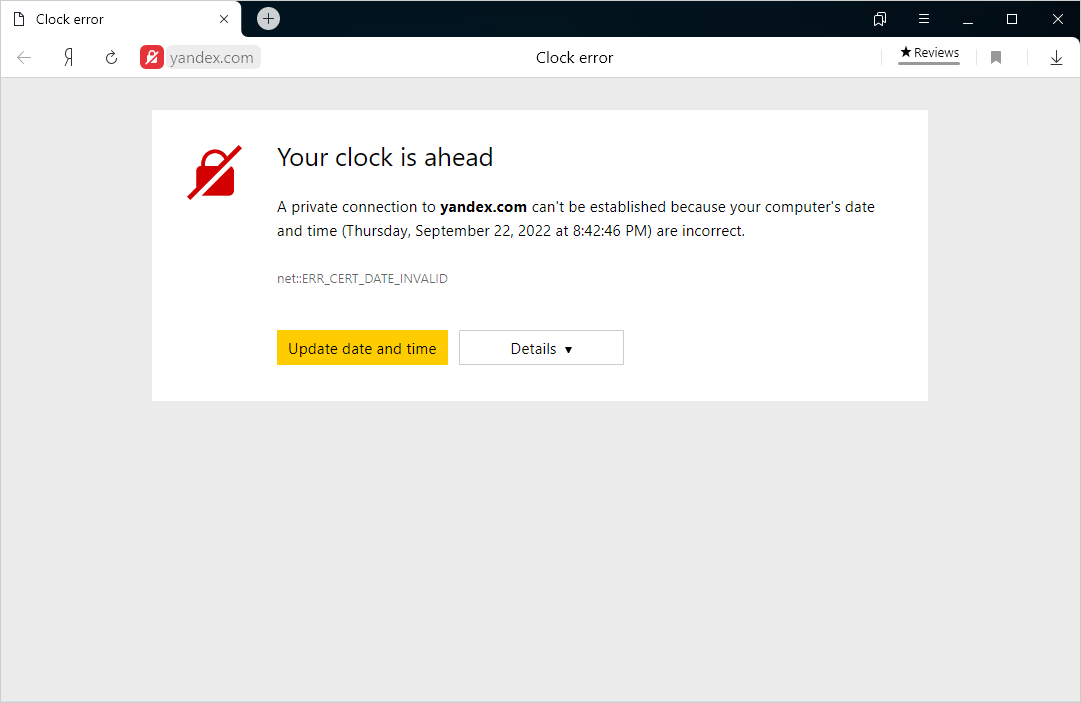
To continue on to that site, click Update date and time. The system settings will open. Specify the correct date and time in the settings and refresh the page in Yandex Browser.